HighLevel API v3: Who Can Use It and What Changed
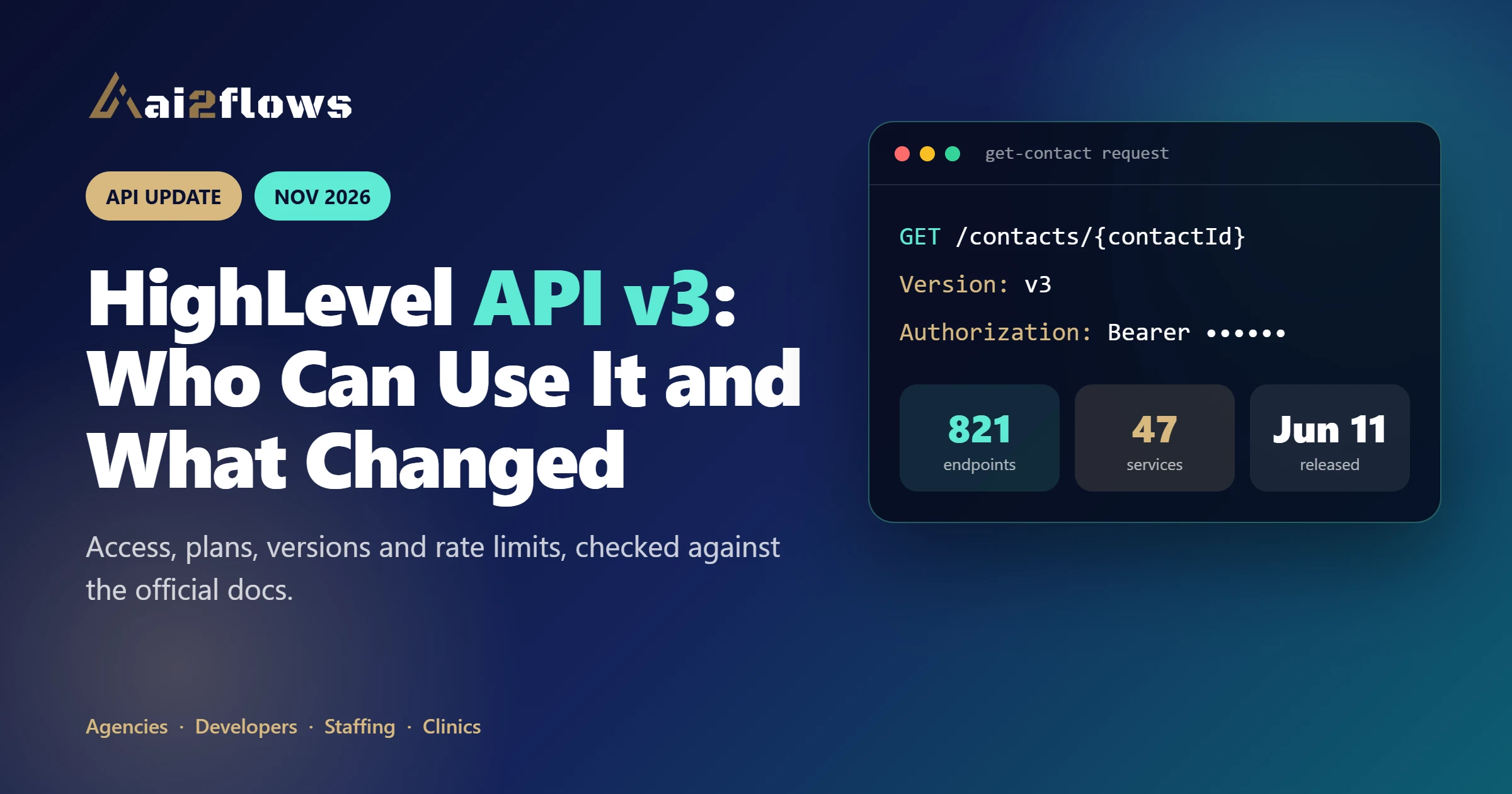
Quick answer: HighLevel API v3 is the newest named version of the HighLevel public API. According to HighLevel's Versioning page, it was released on June 11, 2026, and you select it by sending the header Version: v3 with each request. Its documentation lists no retirement date, and HighLevel's help article says API access is available on its Starter, Unlimited and Agency Pro plans, with a few endpoints restricted. Older date-based versions such as 2021-07-28 and 2023-02-21 are still listed as supported.
What is HighLevel API v3?
An API (application programming interface) lets one piece of software talk to another. HighLevel, the platform many agencies know as GoHighLevel, exposes a public API so your own tools can read and write contacts, conversations, calendars, invoices and more.
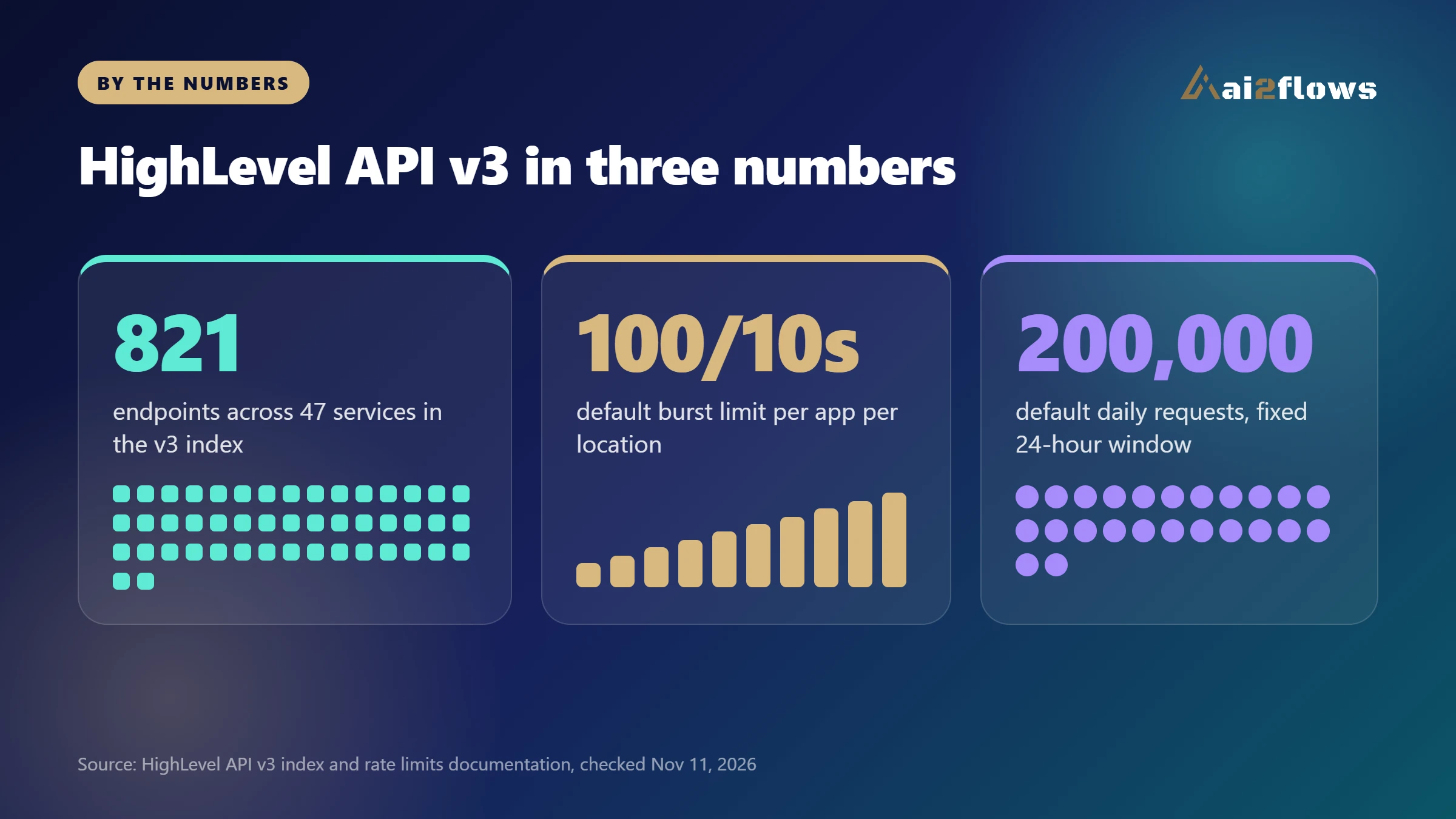
The official llms.txt index for v3 describes 821 endpoints across 47 services, served from the base URL https://services.leadconnectorhq.com. The same index calls v3 the latest version and says to use it unless you specifically need an older one.
For healthcare teams, this matters because the smart CRM behind your intake forms, missed-call text-back and appointment reminders often connects to other systems through this API. A change in versioning affects how reliably those connections keep working.
How do versions work in the HighLevel API?
HighLevel's Versioning page explains that the version is chosen per request with the Version header. There are two naming styles: date-based versions (for example 2021-07-28) and, starting with v3, named versions (v3, v4 and so on).
When a new version ships, the previous one enters a maintenance window. That means critical bug fixes and security patches only, with no new features. After a version is retired, requests that use its header are no longer accepted.
Version header | Release date | Supported until |
|---|---|---|
v3 | June 11, 2026 | TBD |
2023-02-21 | February 21, 2023 | TBD |
2021-07-28 | July 28, 2021 | TBD |
2021-04-15 | April 15, 2021 | TBD |
legacy | January 1, 2021 | TBD |
As of November 11, 2026, every version in that table shows "TBD" for its end date, so no retirement date has been announced on the page we reviewed.
Who can use API v3 right now?
HighLevel's API access guide says API access is available across its Starter ($97), Unlimited ($297) and Agency Pro ($497) plans, and that OAuth 2.0 and Private Integration Tokens are not restricted by subscription tier. A few endpoints and features are limited, so always confirm requirements on the specific endpoint page you plan to use.
Plan-restricted endpoints: the guide lists Create Sub-Account and Enable SaaS for a sub-account as requiring the Agency Pro plan.
Selected accounts only: the v3 index notes that some Workflows endpoints are enabled for selected sub-accounts only, and other sub-accounts receive a 403 response.
Token type: each endpoint reference states which token type it accepts. For example, the v3 get-contact reference lists OAuth and Private Integration with a Sub-Account token. Some other endpoints may call for different token types, so check each one.
Scopes: each endpoint page lists the scopes it needs, and an app only receives the permissions it was granted.
Distribution type: HighLevel's glossary says a marketplace app can be distributed to an Agency (all locations) or to specific Sub Accounts.
One caution: the same help article contains an FAQ that describes "Basic API access" for Starter and Unlimited and "advanced" access with OAuth for a Founder Plan, which does not match its own plan table. Because HighLevel's wording is not consistent, treat the endpoint reference and your own account settings as the final authority, and test in a sandbox sub-account first.
What is the difference between API 2.0 and API 3.0?
HighLevel's rate limits page refers to its OAuth-based public API as "2.0," but HighLevel does not publish a formal side-by-side comparison with v3. The most reliable approach is to compare what each version's own reference pages document. Using the get-contact endpoint as an example:
Area | Older version (2021-07-28) | API v3 |
|---|---|---|
How you pick it | Version header set to 2021-07-28 | Version header set to v3 |
Endpoint path | GET /contacts/{contactId} | GET /contacts/{contactId} |
Auth methods listed | OAuth and Private Integration, Sub-Account token, scope contacts.readonly | OAuth and Private Integration, Sub-Account token, scope contacts.readonly |
Response details | Documented per endpoint. Do Not Disturb settings use capitalized keys such as Call and Email | Documented per endpoint. Do Not Disturb settings use lowercase keys such as call and email, and an attachments field is marked deprecated |
Maintenance status | Docs banner says it is no longer actively maintained | Latest version, supported until TBD |
Route prefix | Follow the path shown in that version's reference | The Marketplace introduction mentions a /v3 route prefix, but endpoint pages show paths without it. Use the exact URL and header in each v3 reference |
The takeaway is practical: the version header tells HighLevel which contract to apply, and each version's reference documents its own paths, scopes and response fields. Do not assume a field behaves the same way across versions. Compare the two references for every endpoint you use before switching.
The changelog shows how v3 keeps evolving. For example, on November 5, 2026, HighLevel added location feature endpoints and marked the older location permissions endpoints as removed from v3. Read the changelog before each release of your integration.
What are the rate limits and what should you plan for?
HighLevel's rate limits page lists default limits for OAuth-authenticated public API calls: 100 requests per 10 seconds (burst) and 200,000 requests per day. The page does not say whether v3 differs from these defaults, so treat them as the safe planning numbers.
Limits are counted per marketplace app per resource, meaning one location or one company.
The daily window is a fixed 24 hours that starts with the first counted request. It is not a calendar day and does not reset at midnight.
Private Integration Tokens follow the same defaults. All tokens on the same location or company share one daily counter, so one busy integration can use up the budget of the others.
HighLevel can set different limits per app, location, company or integration, and response headers show the values that apply.
A rejected request returns HTTP 429 with no Retry-After header, so your code should read the rate limit headers and wait before retrying.
How should a healthcare business prepare for API v3?
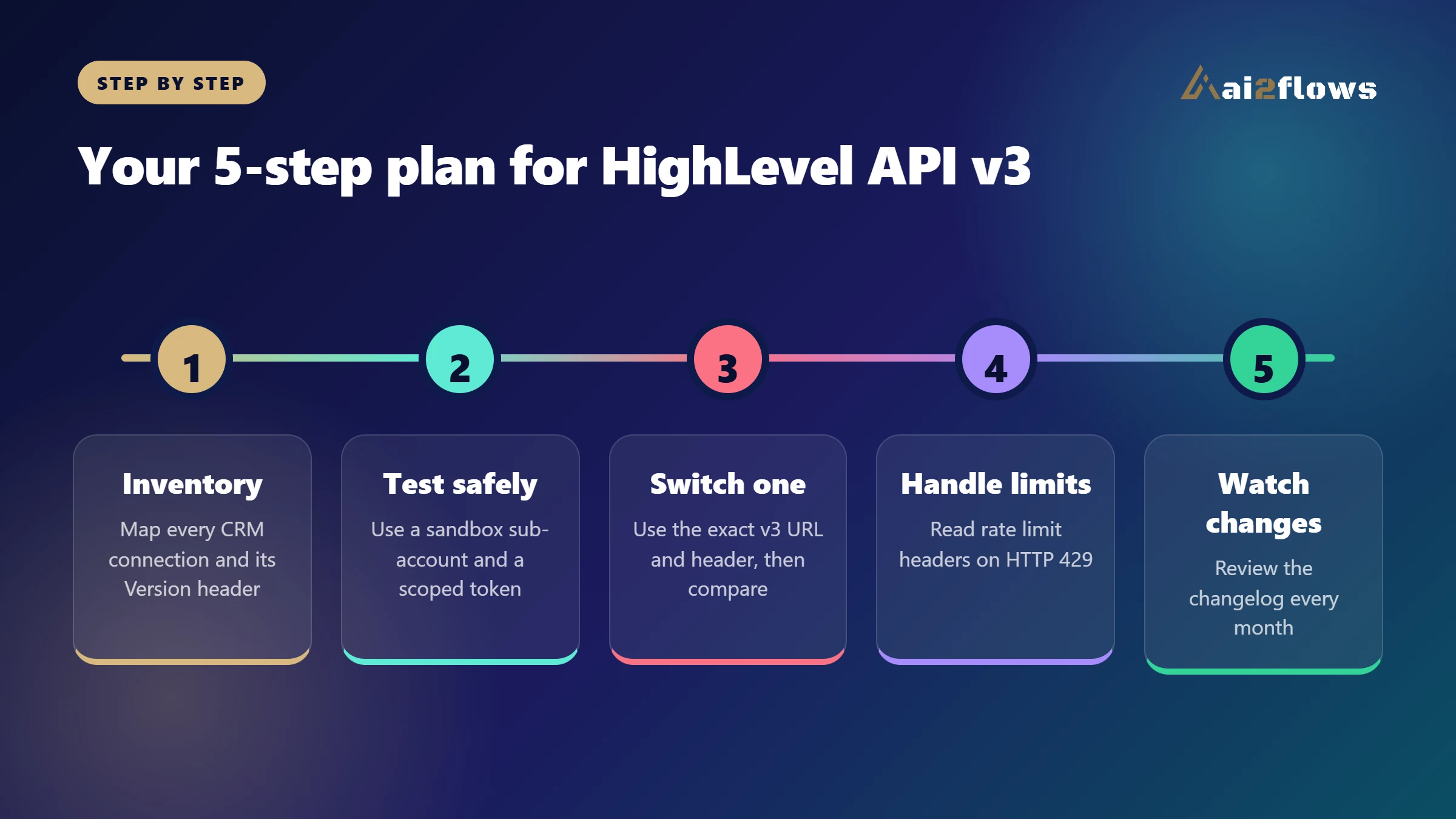
Whether you run a staffing agency, a home care office, a dental practice or a med spa, the goal is the same: keep your lead capture and follow-up running without surprises. Here is a practical plan.
List every integration that touches your CRM, such as forms, call tracking, scheduling and reporting tools, and note which Version header each one sends.
Create a test sub-account and a Private Integration Token with only the scopes you need.
Switch one low-risk integration to Version: v3, using the exact URL and header from the v3 reference, and compare the responses against your current version.
Add handling for HTTP 429 using the X-RateLimit headers instead of blind retries.
Subscribe to the HighLevel changelog and review it monthly for removed or renamed endpoints.
What about privacy and compliance?
An API connection can move contact and appointment data between systems, so treat it as part of your privacy program. Use the minimum scopes, and avoid putting clinical details into fields that sync to tools you have not reviewed.
Token hygiene matters too. HighLevel's Private Integration documentation recommends rotating tokens every 90 days. Routine rotation keeps both the old and new token working for 7 days, so when a staff member leaves or a token may be exposed, use the option to rotate and expire the token now instead of waiting. A HIPAA-ready setup also needs the right agreements and settings with each vendor involved. Please confirm your specific requirements with a qualified compliance advisor, because no integration is compliant by default.
If you want help connecting your healthcare CRM automation to AI agents, our team can map it out. You can also see how AI voice and chat agents use these connections to answer leads fast, or how AEO and GEO services help patients and clients find you.
Frequently asked questions
Is HighLevel API v3 available now?
Yes. HighLevel's Versioning page lists v3 with a release date of June 11, 2026, and its API index calls it the latest version.
How do I call API v3?
Send the header Version: v3, use the base URL https://services.leadconnectorhq.com, and authenticate with a Bearer token that matches the token type listed on the endpoint's reference page. Use the exact path shown there, since the docs are not consistent about a /v3 prefix.
Will older API versions stop working?
Older versions enter a maintenance window when a new one ships, and retired versions stop being accepted. As of November 11, 2026, the Versioning page lists no end date for any version, so check it regularly.
Do I need a special plan to use API v3?
HighLevel's help article says API access, OAuth and Private Integration Tokens are available on Starter, Unlimited and Agency Pro. Create Sub-Account and Enable SaaS require Agency Pro, and some endpoints have extra restrictions, so check each endpoint's reference.
Are the rate limits different in v3?
The rate limits page lists defaults of 100 requests per 10 seconds and 200,000 per day and does not name a v3 difference. Check the response headers, since limits can be customized.
Sources
Want your CRM, AI agents and follow-up connected the right way? Book a free strategy call with AI2Flows.